Stop scheduling around meetings.
Start scheduling around focus.
Temporal learns when you do your best work, and protects those hours. Tasks, calendar, focus blocks. One AI chat to run it all.
Free for 7 days · No credit card required



Sound familiar?
The reason you can't focus.
"I open Todoist, then Google Calendar, then back to Todoist again. Every. Single. Morning."
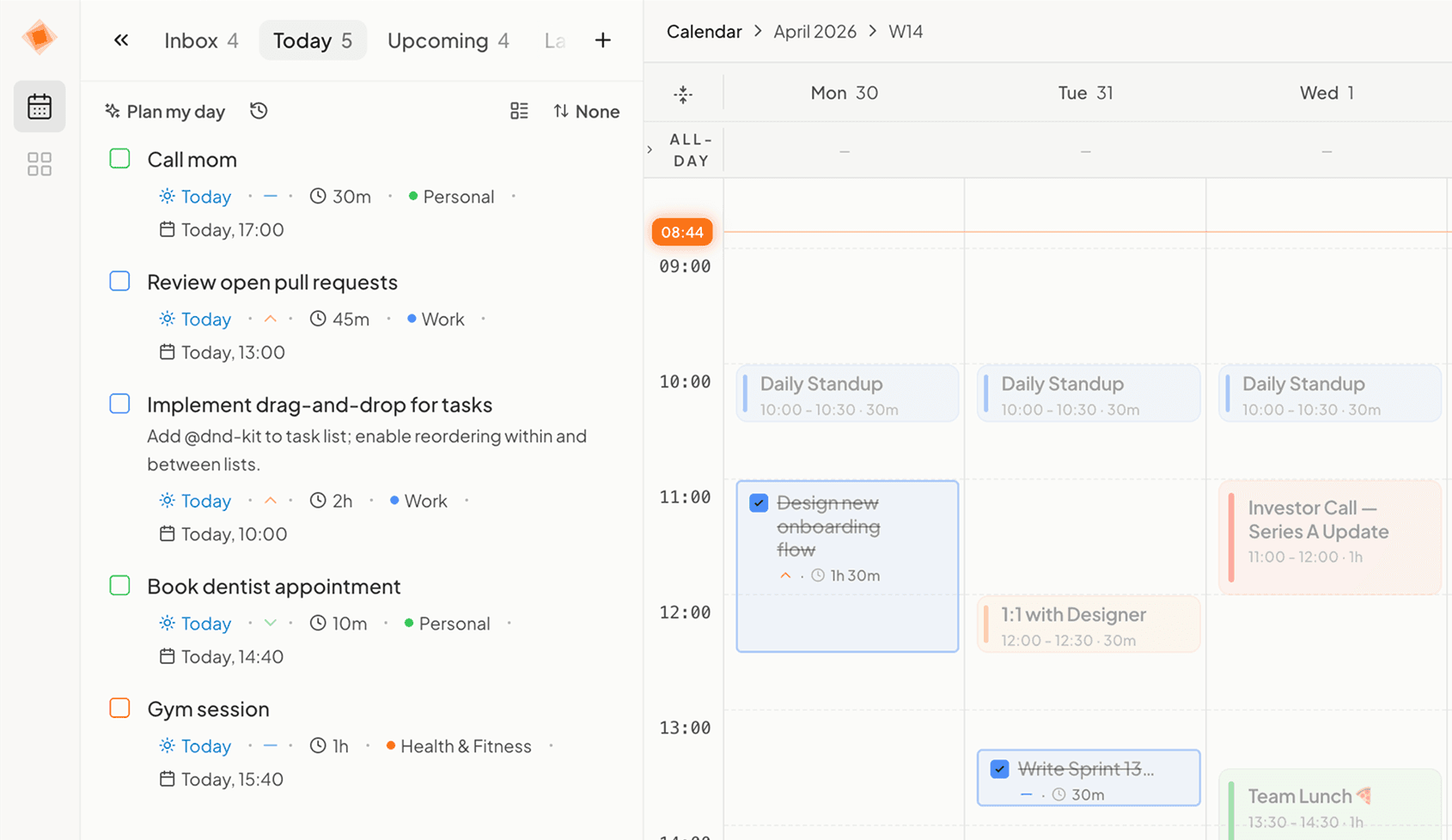
Temporal keeps tasks and calendar in one window. No switching.
"That 10am meeting kills 2 hours of deep work. By the time I settle in, it's time for standup."
Temporal protects focus blocks and suggests moving meetings out of peak hours.
"My Monday plan is completely dead by Tuesday. Priorities shift and the whole week falls apart."
Schedule adapts automatically when priorities change. No manual replanning.
The difference
Not just when you're free. When you're focused.
Most schedulers fill your empty slots. Temporal learns when your brain works best and protects those hours for deep work.
Your current setup
Scattered across 4 apps
Google Calendar TodoistNotion
 Slack
SlackTemporal
Deep work in your peak focus hours
This is the difference between time-blocking and focus-blocking.
How it works
Up in 30 seconds. Running in 2 minutes.
30 seconds to connect
Link your Google Calendar. Existing meetings are imported instantly. No manual setup, no double-booking.
Temporal finds your focus windows
AI reads your week, when meetings cluster, when mornings are free, and identifies your best hours for deep work.
You choose how much control
OFF: schedule manually. SUGGEST: AI proposes, you approve each change. AUTO: AI handles it. Switch anytime.
AI Chat
Just tell Temporal what you need.
An AI chat that sees your calendar, knows your tasks, and schedules around your focus time.
Try asking:
You're in charge
AI suggests. You decide.
Before Temporal changes anything, you see the proposed plan. Accept all, cherry-pick, or ignore. You're always in control.
Write Q2 strategy doc
Tomorrow 9:00–11:00
Review design mockups
Tomorrow 14:00–15:00
Update project timeline
Wed 10:00–10:30
Integrations
Connects to what you already use.


What people say
People who switched.
“Finally stopped dreading Mondays. Temporal drafted my whole week — I just glanced at it and said yes.”
Alex
freelance developer
“Typed 'deadline Friday, keep Thursday free' into the chat. That was it. No rules to configure, no settings to dig through. It just worked.”
Marta
product designer
“Tried Motion and Reclaim. Both felt like another boss telling me what to do. This is the first tool where it actually feels like my calendar.”
Dmytro
indie founder
Compare
How Temporal stacks up.
| Feature | Temporal | Motion | Sunsama | Reclaim |
|---|---|---|---|---|
| Focus-aware scheduling | ||||
| AI Chat (natural language) | ||||
| User control (OFF / SUGGEST / AUTO) | ||||
| Google Calendar sync | ||||
| Free trial (no credit card) | ||||
| Tasks + calendar in one app | ||||
| Native task manager | ||||
| Price per month | $9 | $19 | $20 | $19 |
Prices as of March 2026. — = partial support (hover for details).
Prices as of March 2026.
If Temporal already looks like the better fit, pick the plan that matches how you want to start.
See pricingPricing
Simple pricing.
No surprises.
One plan. Every feature. Pick what fits.
Flexible month-to-month access.
Billed monthly. Cancel anytime.
Best for building a consistent planning habit.
Most chosen plan. Billed every 3 months.
Best for early adopters who know they will stick with it.
One payment. No recurring subscription.
Less than 8 months of Motion
Limited to 10 early bird spots
30-day money-back guarantee · Cancel anytime · No lock-in
All prices in USD. Payments securely processed by Polar.
The story

Mykyta
Founder · Building from Kyiv
“Temporal is built by one person in Kyiv. No VC money, no growth hacks. Just a tool I needed and couldn't find. Every feature ships because it solves a real problem. Every morning I opened Google Calendar, then Todoist, then back to Calendar. Three apps just to know what my day looked like. So I built what I wished existed.”Follow on X →
FAQ
Questions? Answers.
Temporal is the only AI calendar with a natural language chat interface. You can type "Move my design review to Thursday, I need focus time" and it just happens. It also offers focus-aware scheduling (not just gap-filling) and three control modes (OFF / SUGGEST / AUTO) so you choose how much AI intervenes. It costs $9/mo vs $19-20/mo for competitors, and offers a lifetime plan.
Your focus hours won't protect themselves.
Your calendar should work with your focus, not against it.
Free for 7 days · Setup takes 30 seconds · Works with Google Calendar
Have questions? Write to us →
Real results
From real Temporal users · Google Calendar sync included